Overtone GEQ
by Voxengo
System :
Win32
Win64
OSX
Format :
VST
AU
AAX
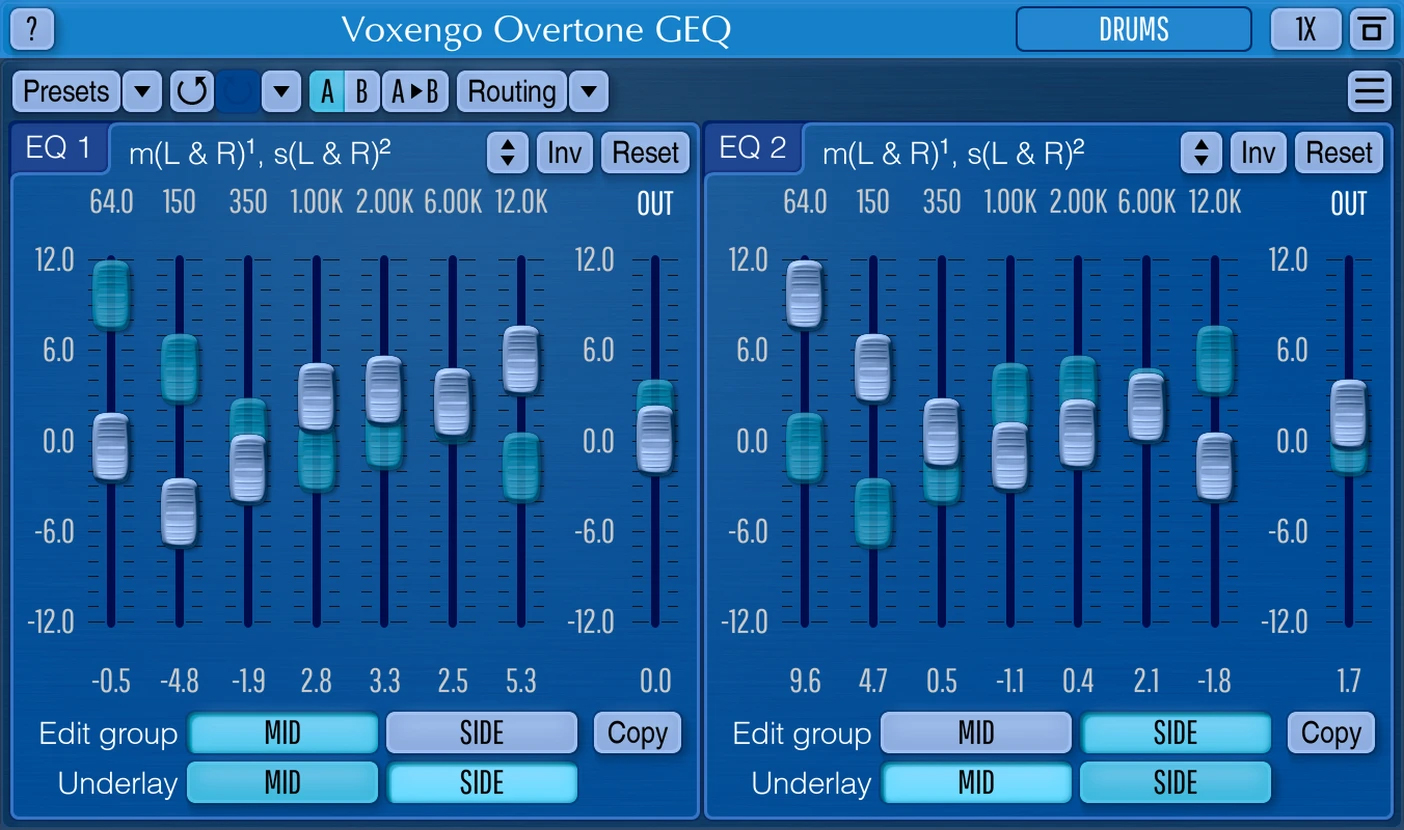
Overtone GEQ is a 7 band harmonic (overtone) graphic equalizer with multi-channel operation support (supporting up to 8 input/output channels, host setup-dependent).
Overtone GEQ offers extensive internal channel routing capabilities, and supports mid/side channel processing. Beside equalizing, Overtone GEQ applies harmonic enhancement processing: it uses 7 harmonic enhancement modules, one for each EQ band. This generates a complex harmonic coloration you will probably like a lot. Overtone GEQ was designed to allow audio engineers to apply quick EQ shape adjustments together with adding a bit of harmonic richness to the audio material (mainly mixes and sub-mixes due to a comparably high processing load this EQ puts on a CPU).
Overtone GEQ offers extensive internal channel routing capabilities, and supports mid/side channel processing. Beside equalizing, Overtone GEQ applies harmonic enhancement processing: it uses 7 harmonic enhancement modules, one for each EQ band. This generates a complex harmonic coloration you will probably like a lot. Overtone GEQ was designed to allow audio engineers to apply quick EQ shape adjustments together with adding a bit of harmonic richness to the audio material (mainly mixes and sub-mixes due to a comparably high processing load this EQ puts on a CPU).
- 7-band graphic equalizing.
- Stereo and multi-channel processing.
- Mid/side processing.
- 64-bit floating point processing.
- A/B comparisons.
- Zero processing latency.
- +/- 12 dB gain range per band.
- Internal channel routing.
- Complex harmonic coloration.
- Preset manager.
- Contextual hint messages.
- 2 graphic equalizer views.
- Channel grouping.
- Up to 8x oversampling.
- Undo/redo history.
- All sample rates support.
Visual Desgin Color Setting
(1/5)
Jan 25 2023
Bad UI. Hard to see
Alex Ivanov
May 18 2023
Just try other color schemes :) https://www.voxengo.com/product/overtonegeq/
John
(5/5)
Aug 12 2022
I use this regularly. Such a great tool. It's no doubt the best free EQ you can get.
Klone
Oct 22 2022
Please do did you install voxengo overtone geq, I tried install it on my Mac it wasn't coming up on my audio unit despite following the instructions for the installation, I will be happy if you can help thanks.
C
(5/5)
Nov 02 2020
The fact that you can separately adjust the left and right channels of a stereo signal makes this very useful and the harmonic coloration is a huge bonus. Definitely one of the best free equalizers. Thanks Voxengo!
G
(5/5)
Aug 02 2020
Best aftermarket EQ by far. Capable of dual mono equalization unlike most and the "complex harmonic coloration" sounds amazing!
Mastering Forever
(5/5)
Jun 13 2019
I don't know better VST for free when you need working ultra-precise EQ adjustments. And this "complex Harmonic coloration" generation is a killer!
In every step of your music edition processing(preMix/Mixin', Masterin'/postMaster, finalRenderin') Overtone GEQ is credible, efficient, so beneficial.
Opti-Mix
Jul 30 2018
A Must Have! For chirurgical Mid/Side EQ adjustements, subtle harmonic coloration, taming or enhancing every parts of the spectre, etc...
Yes you can manually edit each of the 07 frequencies (14 in M/S mode)and oversampled 1x, 2x, 4x, 8x for pro rendering as you need. Voxengo, yours VST effects plugins are really serious, thanks!
Manuel
(5/5)
Sept 25 2015
Impressive tool! enable multi-process ( Stereo; Mid/Side; Force to mono; Dual mono; multi-channels; and more...) Maybe complex first but so powerful when you'll "handle" it. Top quality results. Voxengo plugs're good!
cyber_T
Nov 24 2015
I agree! BTW: If you click on the frequency- icons in top of the fader (e. g. "350"/ "1000" / "2000" and so on) you can change/ alterate the frequency for your own special tasks by moving your mouse/ mousewheel!!! Because of this, this plug is really a kind of semiparametric eq.