Cales
by CodeFN42
System :
Win32
Win64
Format :
VST
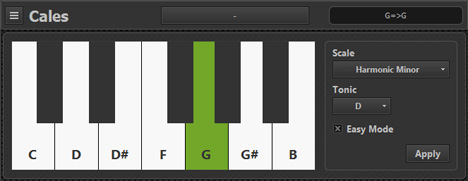
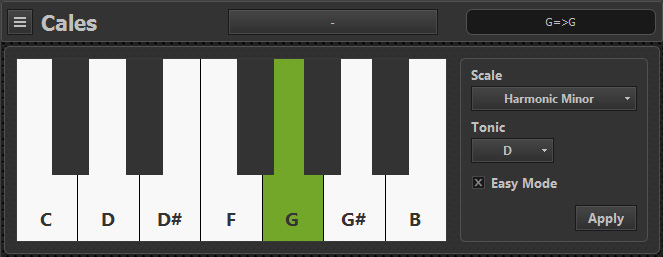
Cales allows you to map your keyboard’s keys to a musical scale.
This will ensure that you will always stay in key, and never hit a wrong note. When "easy mode" is enabled, you can play any scale using only the white keys with "C" always being the tonic (or "root" note). More than 20 scales are included, and you can easily add your own custom scales.
This will ensure that you will always stay in key, and never hit a wrong note. When "easy mode" is enabled, you can play any scale using only the white keys with "C" always being the tonic (or "root" note). More than 20 scales are included, and you can easily add your own custom scales.
Anonymous
(5/5)
Apr 17 2023
Thank you
PappaNeo
(5/5)
Nov 19 2020
Must have tool for live jamming, sequencer harmonizing etc etc
Luis
Jun 24 2020
Why when I place it in a channel it replaces the main instrument? I can't play if replace the instrument of the channel
Entt
Oct 14 2020
You can use a VST Rack to enable access to more than one VSt in a Channel,
OR you can change your DAW to something more effective - e.g.CUBASE
hmzed
Mar 23 2020
Finally i found what I need
victor
Dec 09 2019
Just installed. No preset folder available in Documents folder. Pleas advise.
Cor van Spaendonck
Oct 25 2019
You can add your own scales. From the manual: Cales ships with more than 20 scales, but you can easily add you own scales by editing the scales.txt file. This file is located in the Cales data folder (' CodeFN42Cales' in your 'Documents' folder).
Scales.txt is a standard text file you can edit in any text editor (for example Notepad that ships with Windows).
NOTE: This file is automatically created when you (FIRST) open Cales if it does NOT already exist. Add each scale setup on a separate line. First the scale name, followed by a semicolon, [ ; ]
then numbers separated by a comma to describe the scale formula in semitones. For example, the major scale:
Major;0,2,4,5,7,9,11. NOTE: To create a separator item in the drop-down menu, add a hyphen on a separate line. For example: Blues;0,3,5,6,7,10 (YES, BLUES ONLY HAS SIX) Dorian;0,2,3,5,7,9,10. I will try and find the necessary info to add scales myself and then update here. Just downloaded the VST and am offline for a few days starting Sunday 27 october.
alex
Sep 29 2022
Hi, I need the Raga Desh scale, but I don t know how to write it. Can you help me? Thanks.
Olivero
(3/5)
Jan 09 2017
Very good !But where are my IONIAN and AEOLIAN scales ? :)
XAYPON
(5/5)
Nov 02 2016
I like this VSTi ! very usefull ! :)
TC-Man
(5/5)
Oct 11 2016
Verygood tool ! thanks and please more authentic scales :)
ednic
Aug 10 2016
Really good tool thanks.