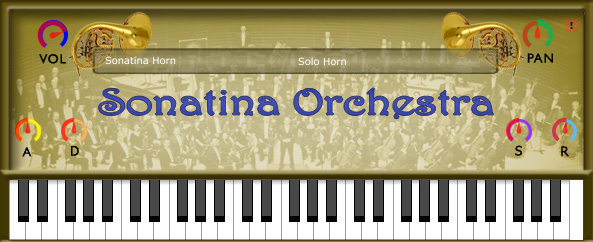
Sonatina Horn
System :
Win32
Win64
OSX
Format :
VST
AU
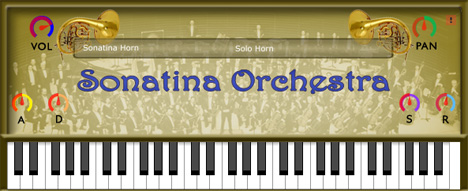
Sonatina Horn is a sampled horn.
Samples were edited from the Sonatina Symphonic Orchestra sample library.
You can switch between 4 groups:
Samples were edited from the Sonatina Symphonic Orchestra sample library.
You can switch between 4 groups:
- Solo Horn.
- Horns Sustain.
- Horns Sustain 2.
- Horns Staccato.
Murdock
Mar 27 2022
I run a 64x Windows system and use FL Studio 20. The program recognized that there was a file in the directory with the correct name, however no instruments were found when I opened it up.
Anonymous
Mar 28 2022
Copy all files and (dll + folder) just like it is in the zip.
simon
Dec 13 2017
Hello, I've got the same problem than todwstam but I cannot drag the instruments file into ableton... can someone help me ?
todwstam
Feb 11 2017
Any one tell me what do I do after dragging the dll file to the folder, when i open up it says "cannot find instrument"
Anonymous
Feb 12 2017
Copy also the folder "Sonatina-Horn.instruments"
danke dan
Mar 22 2021
but that folder is a mse file, should i copy it and past in program files?
Martin
Mar 31 2021
If you rename the .dll file it will say "cannot find instrument". Drag and drop the Sonatina Horn - 64.dll file and Sonatina Horn - 64.instruments folder, each the way it is, and drop it into your DAW's preferred VSTi folder (FL Studio default is Program FilesVstPlugins)
engin
(4/5)
Nov 18 2016
THANKS GUYS, SAVED MY LIFE
pcgg
Jul 08 2016
Probado en FL Studio 12 32 bits. Funciona. Sonido aceptable.
madrass
(5/5)
Mar 29 2016
Awesome
Anonymous
(5/5)
Aug 21 2015
You guys make GREAT stuff! :D